School Hub
Desktop app · Mac, Windows, Linux

Your school day, properly organised.

Your Compass timetable, changes and news in one calm app, with your friends and study groups alongside.

Download
Other systems: all downloads
Version
latest
Price
Free
Updates
Automatic
Works with
Compass (your school's own login)
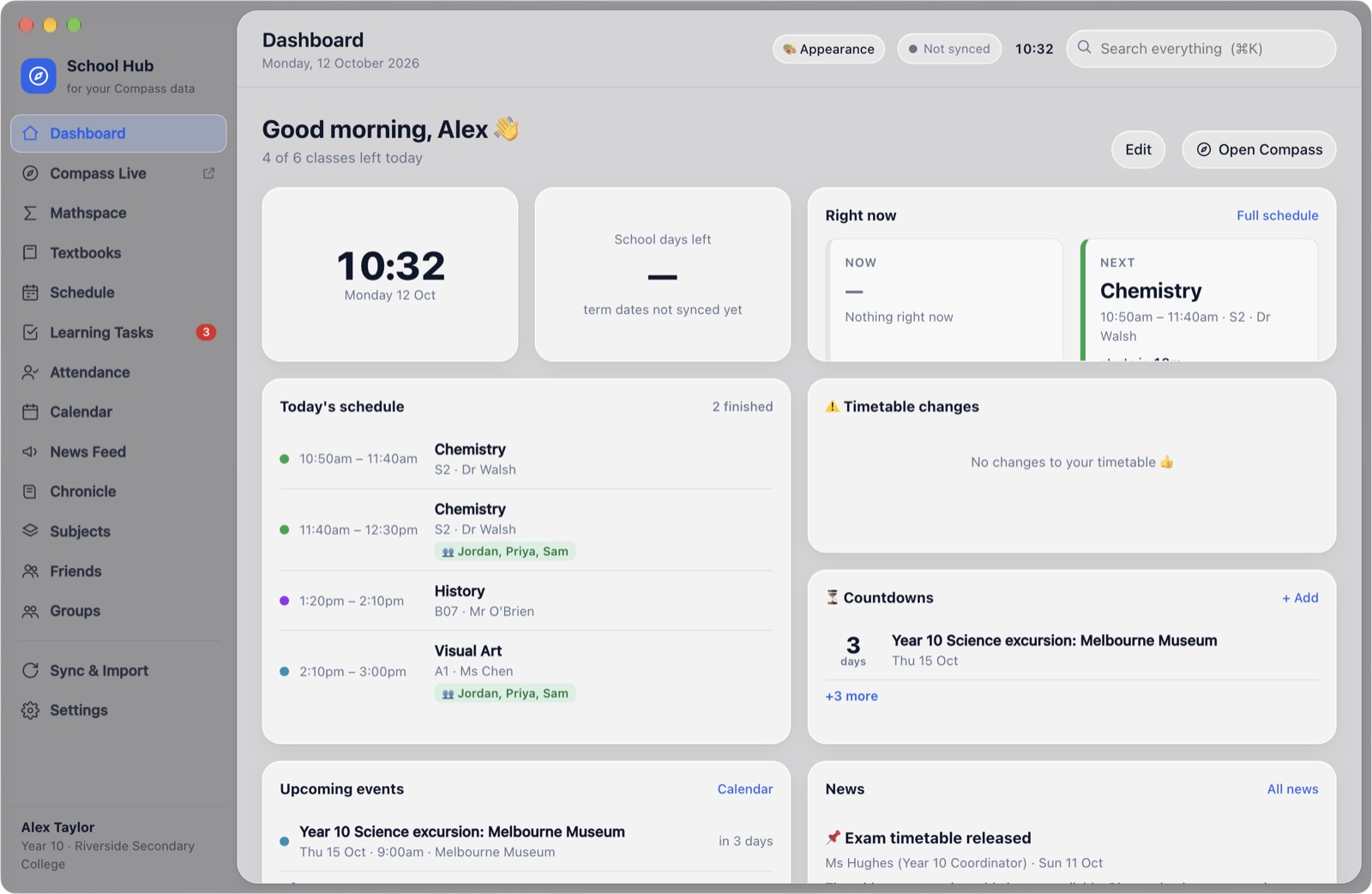
The School Hub dashboard: the time, today's remaining classes, what's next and upcoming events
Fig. 01 Dashboard, mid-morning. Finished classes tidy themselves away.
01 · Your day

Where you're going next, at a glance.

Your timetable comes straight from Compass and stays current on its own. When a room changes or a class is cancelled, you know before you walk to the wrong building.
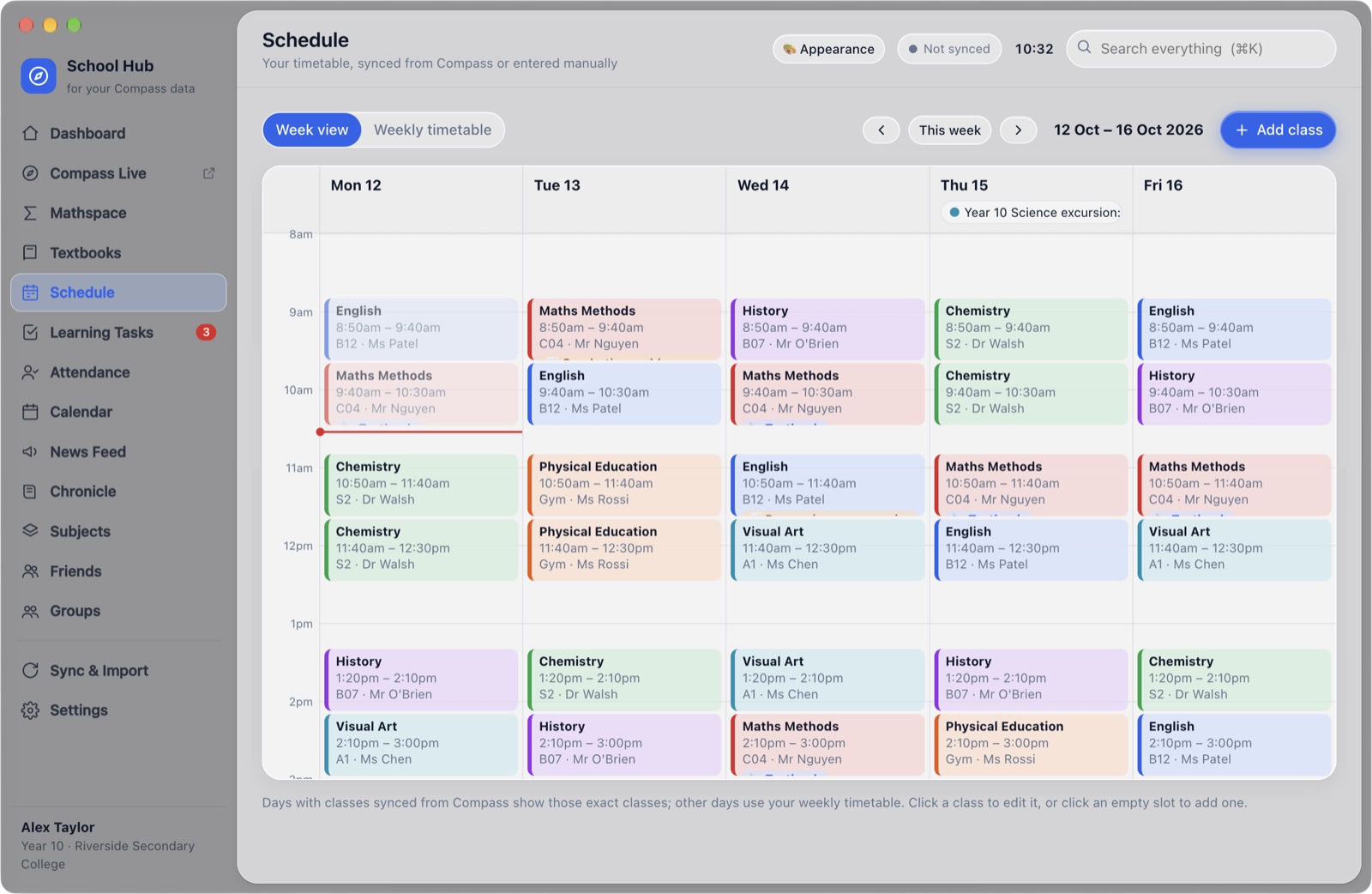
A week of classes in colour, with today highlighted
Fig. 02 Week view. Each subject keeps its own colour.
In detail
Timetable changesRoom changes, relief teachers and cancellations, flagged as soon as Compass updates.
Morning briefingA short note on the day ahead, and what to bring tomorrow.
Menu bar countdownOn a Mac, time left in your current class sits in the menu bar.
Compass built inCompass, Mathspace and your textbooks open inside the app. You stay signed in.
02 · Friends

Who's in your class, and when you're both free.

Add a friend with their short tag, such as K7M2-Q9XA. They accept, and School Hub lines up your timetables. You decide what each friend can see.
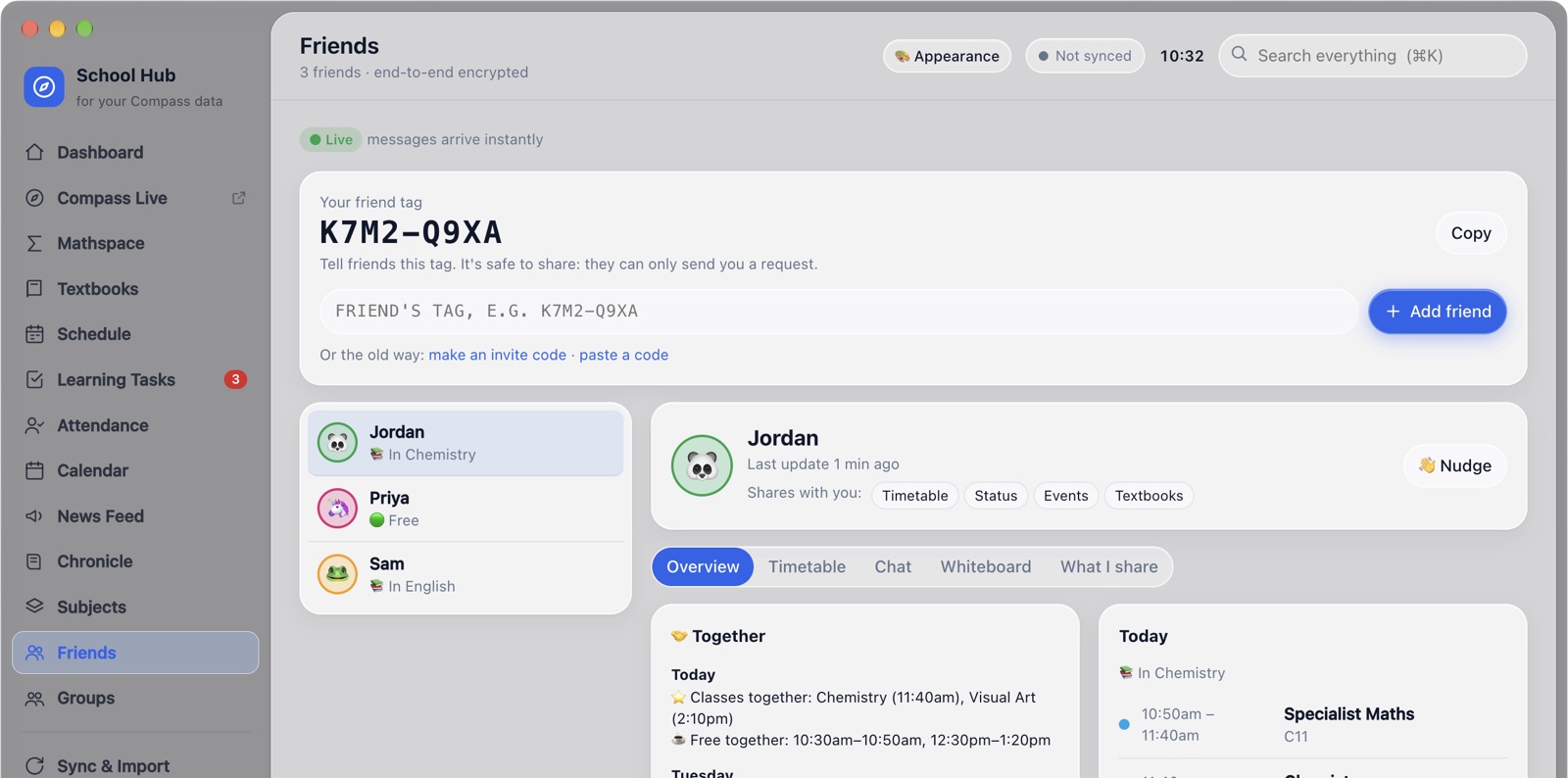
A friend's page showing classes together and free periods together
Fig. 03 A friend's overview: shared classes, shared free time, and their day.
In detail
Classes and breaks togetherWorked out from both timetables, for the next few school days.
StatusSee whether a friend is in class or free right now.
Chat and whiteboardMessages arrive instantly. Draw something out together when typing won't do.
Encrypted end to endOnly you and your friend hold the key. The relay in between sees scrambled data.
03 · Groups

A group chat that knows the timetable.

Start a group for a class or a project. Chat with replies, reactions and mentions, share whiteboards and textbooks, and post questions for the group to answer.
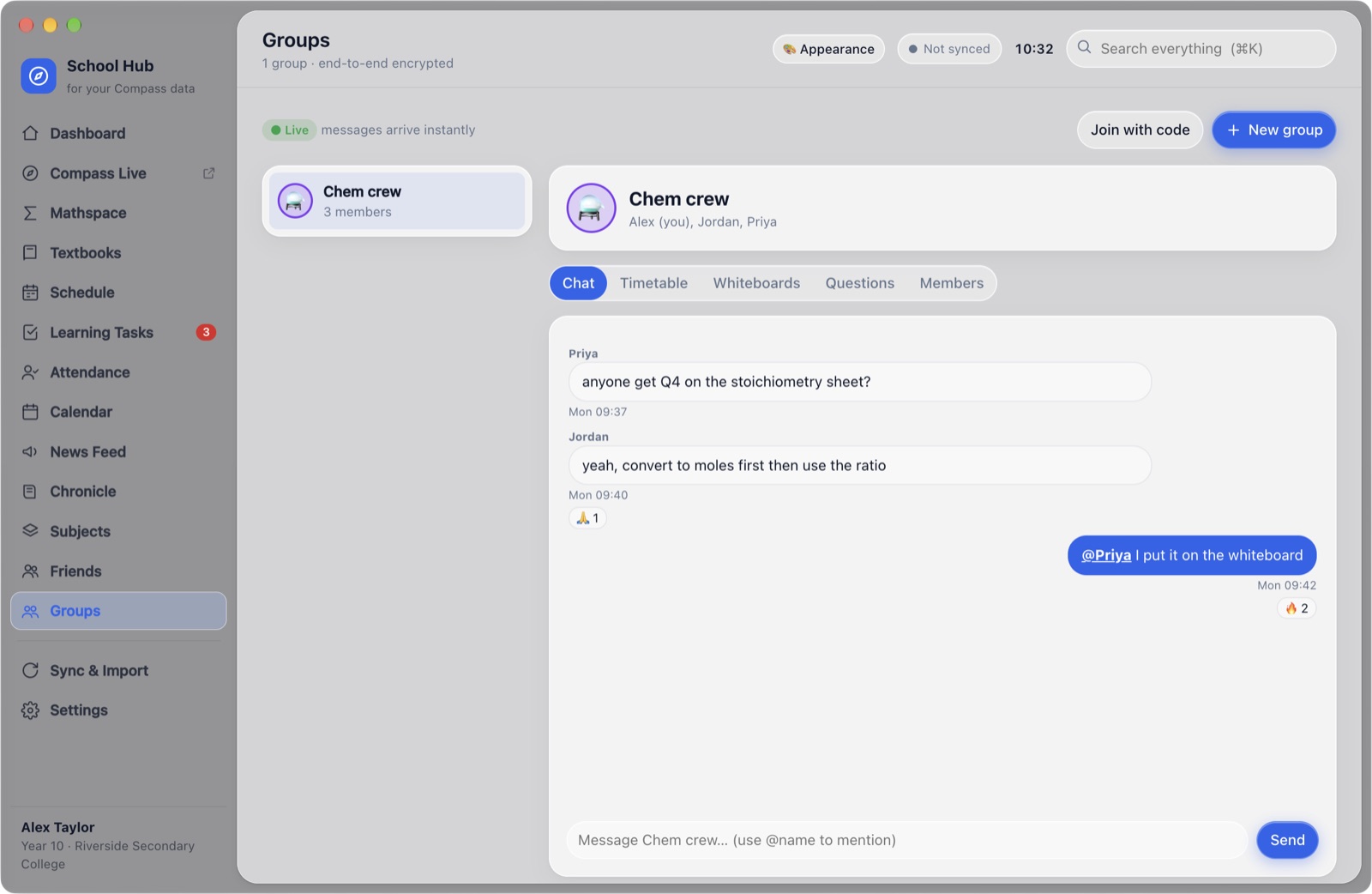
A study group chat with replies and reactions
Fig. 04 A study group. "Everyone free" finds a time that suits the whole group.
04 · Appearance

Set it up exactly how you like.

Start from one of twelve themes, then change colours, fonts, corners, spacing and the sidebar while you watch. Arrange and resize the dashboard widgets. Send your setup to a friend in one tap.
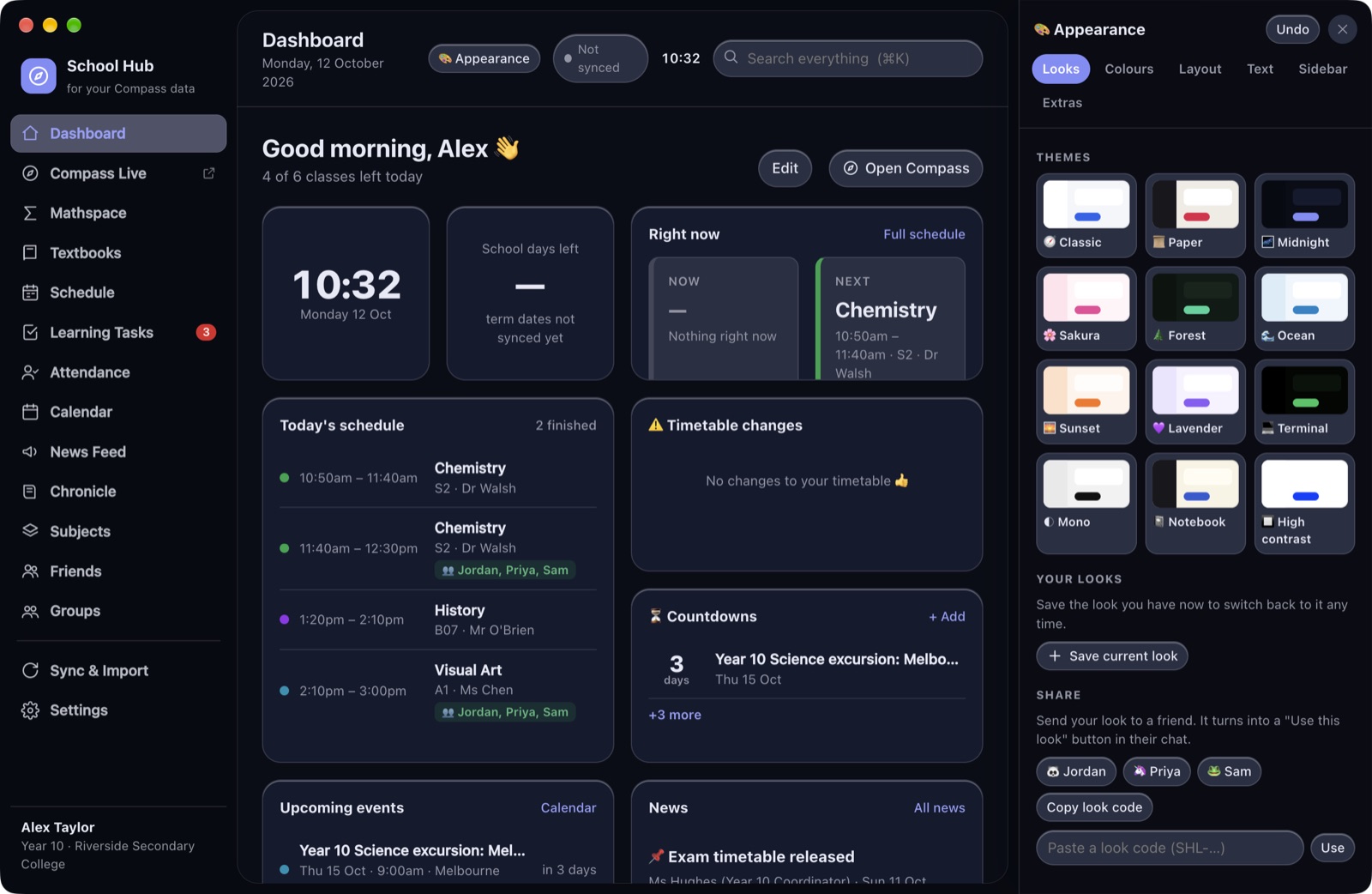
The Appearance panel open beside a dark theme
Fig. 05 Midnight theme, with the Appearance panel open.
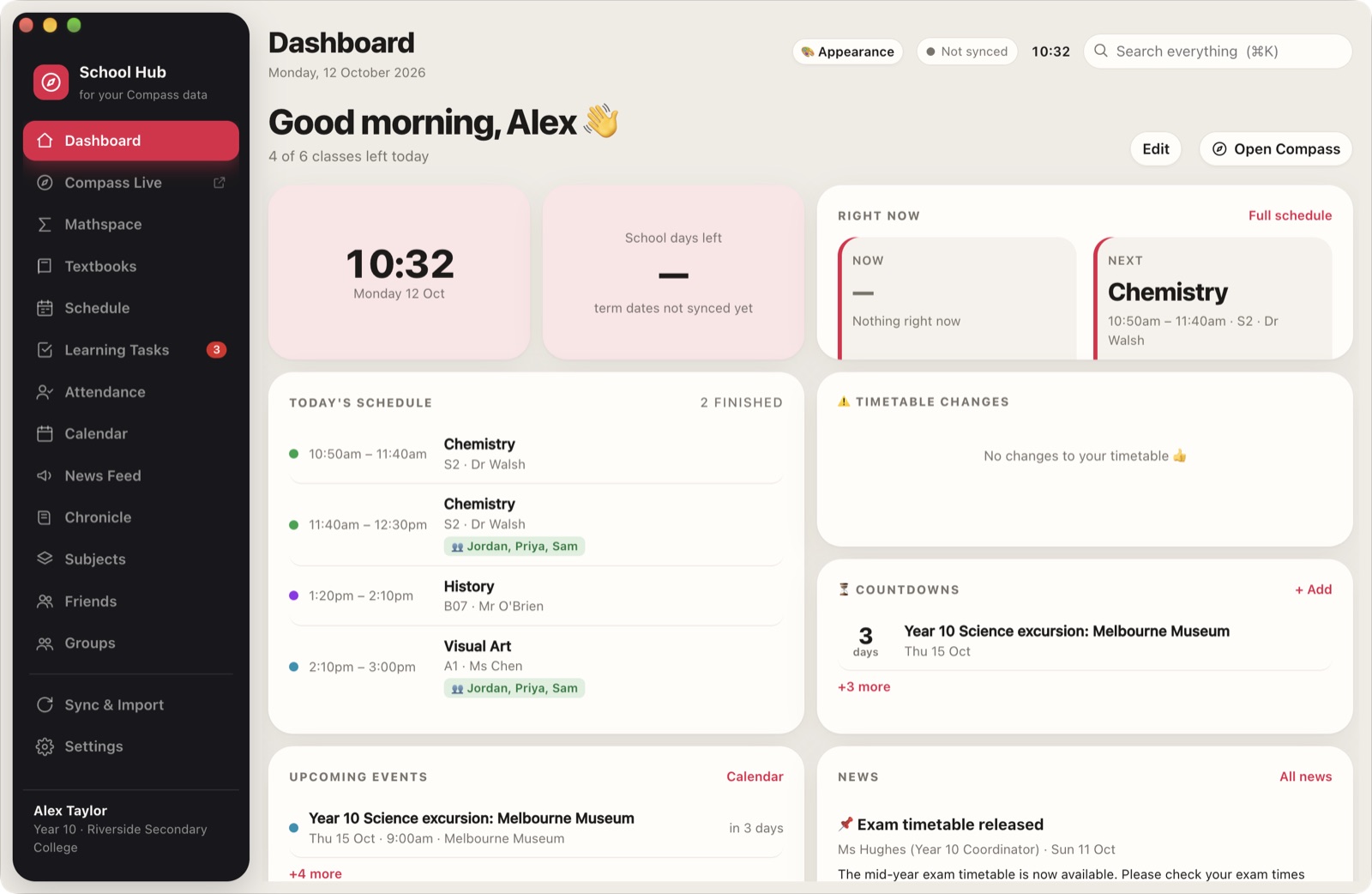
The Studio design with a dark floating sidebar
Fig. 06 Studio, the second built-in design.
05 · Specifications

The details.

School Hub works with your own Compass account, the same way you'd use Compass in a browser. Nothing needs to be set up by your school.

Systems
macOS (Apple chip and Intel) · Windows 10 and 11 · Ubuntu, Debian and other Linux
Price
Free
Updates
Installed automatically
Your data
Stays on your computer
Sharing with friends
Only what you choose, encrypted end to end
Affiliation
Independent; not made or endorsed by Compass Education
Download

Free for Mac, Windows and Linux.